Band Companion
An app for bands that records rehearsals and turns them into study material: takes filed by song, A/B looping, pitch shifting and categorised markers.
Band Companion is an app for bands that records rehearsals and turns them into working material: every song in the repertoire has its own takes, filed by date, along with everything needed to study it. The Android app is on Google Play and the web client is open at bandcompanion.net; the account is the same on both sides, and you only ever see the bands you belong to. What follows is the tour of the screens, with captures of the app as it stands today.
Band, songs, takes
The repertoire is a list, not a folder: search it by title or artist, sort it by title, artist or date, and drag it into whatever order the band wants. Every song carries its key and its target tempo, and everyone in the band sees exactly the same thing.
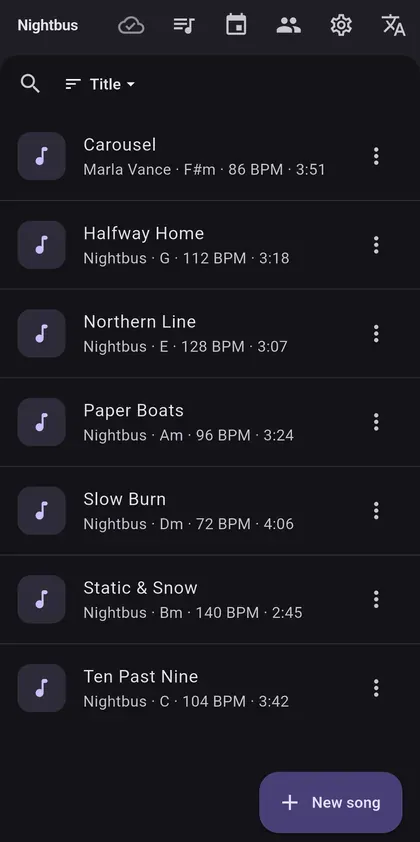
Every song, a folder of its own
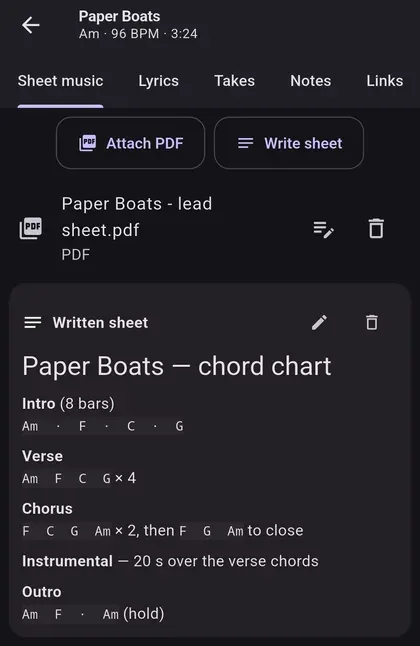
A song’s page holds, in tabs, its sheet music, its lyrics, its takes, its free-form notes and its reference links (Spotify, YouTube): no digging through three different apps when it is time to rehearse. The sheet can be an attached PDF or a chord chart written inside the app, with the structure marked out — intro, verse, chorus, instrumental, outro — and the chords for each part.
Recording without thinking about it
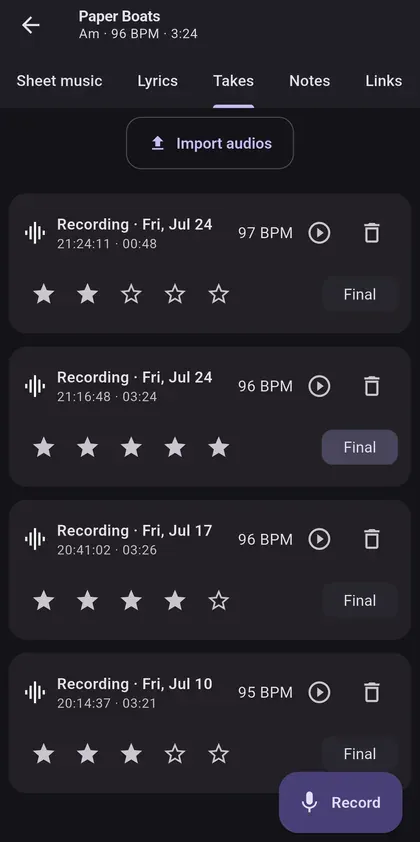
You pick the song, press record, and the app keeps recording with the screen off. When you stop, the take hangs off the right song and shows up in the list straight away; the tempo analysis runs separately and, once it finishes, the BPM sits next to the length. Every take is rated from 0 to 5 and one is flagged as the definitive one, so when you come back three months later you know which to play. If you already have audio from old rehearsals on your phone, twenty files import at once into a song.
A player for studying, not for listening
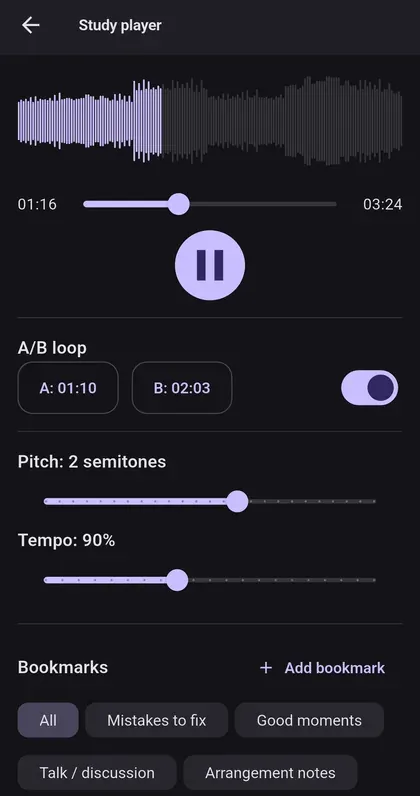
A waveform accurate to the millisecond — computed at record time, so the player never has to decode the audio to draw it — gapless A/B looping, and pitch (±12 semitones) and tempo (0.5×–1.5×) that move independently of each other. Markers carry a category and an author — “mistakes to fix”, “good moments”, “arrangement notes” — and filter by both; during a rehearsal you drop them with a Bluetooth pedal, without touching the phone.
Sheet music you can write on
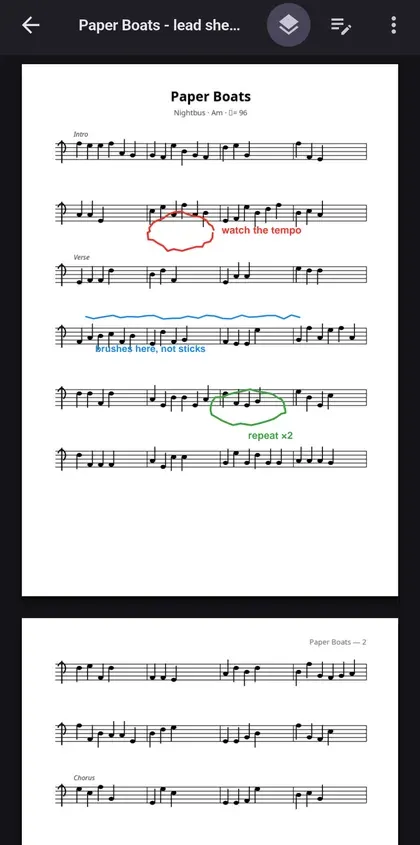
Sheet-music PDFs take annotations on top with pencil, text and eraser, in four colours: circle the bar that never works, write “brushes here, not sticks” in the margin, mark the passage that repeats. The original is never touched — annotations are kept separately — and they export merged when something needs printing.
Gigs and setlists
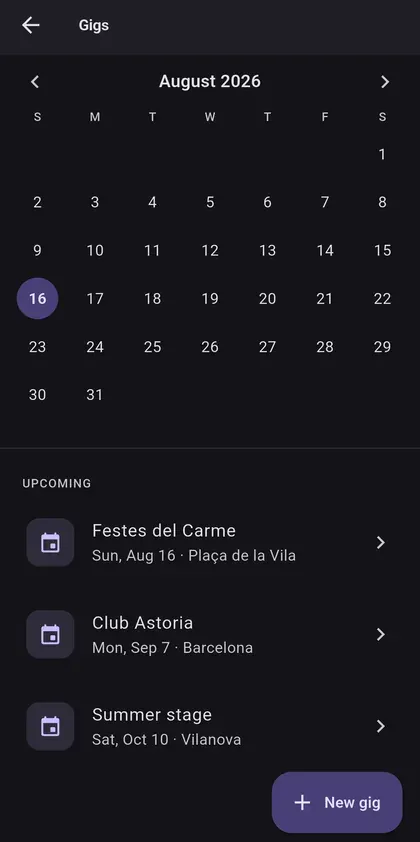
A gig calendar with the date and the venue of each one, and the upcoming ones listed underneath so nobody has to go hunting for them in the right month.
The setlist, in the order you play it
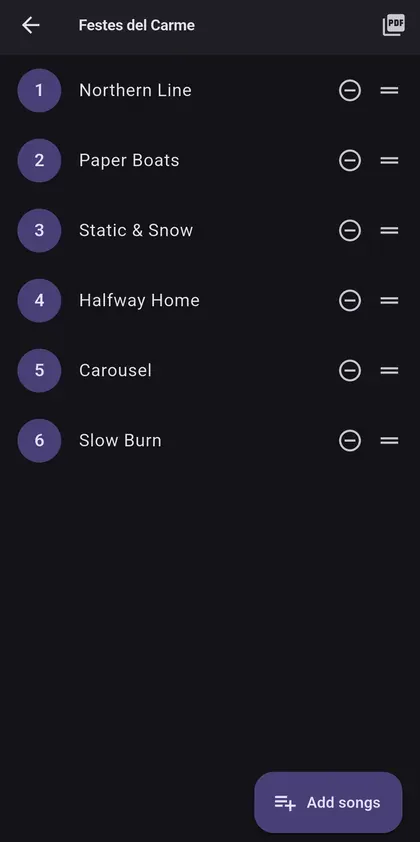
Every gig carries its own numbered setlist: songs are added and dragged into the order they will be played, and the running order exports to PDF at the size of a sheet to leave on the music stand. Setlists without a date work too, which is what you want for a rehearsal focused on half a dozen songs.
Lyrics on stage, without a prompter
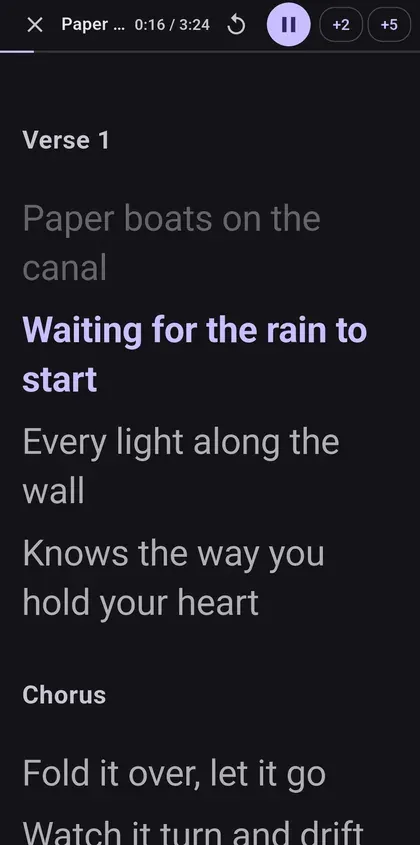
Sing mode puts the lyrics full-screen and scrolls them on their own: you tell it how long the song runs and it shares the time out across the lines according to how long each one is, so a two-word line goes by quickly and a twelve-word one lingers. If the lyrics carry a twenty-second instrumental marker, it stops for twenty seconds saying so and then carries on, and those seconds come off the total: in a 130-second song with instrumentals of 20 and 10, the lyrics scroll across the remaining 100. The text size is set once, in Settings.
There is no signal in the rehearsal room
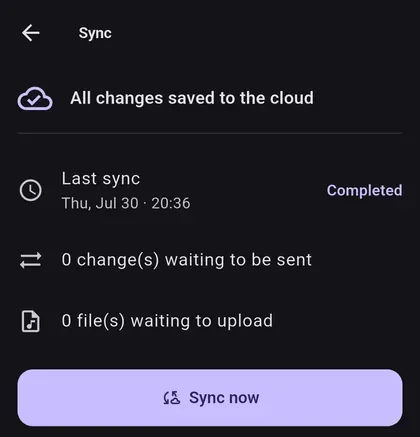
It is a basement: the connection is bad or simply missing. The app records and saves to the device anyway, and sends the pending changes and files when the network comes back. The sync screen always says how many changes and how many files are left, which is the only way nobody goes home thinking they uploaded something that is still on their phone.
Where the files live
Recordings are compressed to AAC before they go up — some fifteen times smaller than the WAV coming off the microphone — and land in a private store, organised by band and song. The app carries no credentials inside it: every upload and download goes through a short-lived link, issued only after checking that whoever asked for it belongs to the band that owns the files. Who sees which bands is not up to the app; the database decides it.
Free while you try it
In free mode everything stays on the device and costs nothing. When the band wants to share material — which is when the storage and the syncing come into play — it moves to a per-band plan. You can start by installing the app from Google Play or by opening the web client at bandcompanion.net.